Product
The idea
Coding agents write the code now. Someone still has to answer for it. Whaatcher is a macOS app for that job: watching your agents work, weighing what they did, and deciding what happens next.
Why it exists
An agent works faster than you can read. Give it one task and it comes back with dozens of changed files. Run three in separate worktrees and you get three of those at once.
The tools around you were made for writing code by hand, one repository at a time. An editor shows the file you have open, a git client shows one repository's history, and a pull request shows the final diff. None of them shows how the work got there: where the agent kept circling, what it copied instead of reusing, what it read before it edited, or how the change compares with what usually happens in this repository.
Tests and lint still pass. What they miss piles up quietly: functions that grow a little with every session, near-copies of the same code, files that always changed together until one day only one of them did. You notice months later, when every change takes longer than it should.
Whaatcher starts from one premise: let the agents keep the pace, and keep the quality yourself. For that, you need the evidence in front of you at the moments that matter, not a score.
What it stands on
One agent in front of you at a time. When agents work in parallel, the bottleneck isn't the agents; it's your attention. Splitting a terminal app into panes and running an agent in each looks efficient, but in practice you end up half-watching all of them and really following none.
So each tab, one per worktree, has exactly one agent terminal, and you look at one of them at a time. You don't have to keep an eye on the rest; Whaatcher does. Every tab's tile shows whether its agent is working, waiting for you or has rung the bell, how fast it's producing tokens and how much memory it's using, and a tab with something new pulses until you look. You give one agent your full attention, and the app tells you when another one needs it.
Facts, not verdicts. Whaatcher shows what happened and puts what is unusual first. It doesn't grade your code or your agents. The call is yours.
Recorded or inferred, always marked. Some values come straight from git or from the agent's own record. Others Whaatcher works out from that record, and every screen tells the two apart.
Compared with your own usual. A change is set against this repository's history, not against a threshold someone else chose. What is normal in one project is unusual in another.
Your agent sessions stay on your Mac. Whaatcher keeps what it records on your Mac, and nothing it records about your agent sessions is sent over the network. Observing your agents works without a network connection, and there is no Whaatcher account.
It watches; it doesn't drive. Whaatcher doesn't write code, doesn't steer your agents, and doesn't change your files or branches. You start your agents in its terminal, it records what they do, and you decide.
What each part shows you
While your agents work
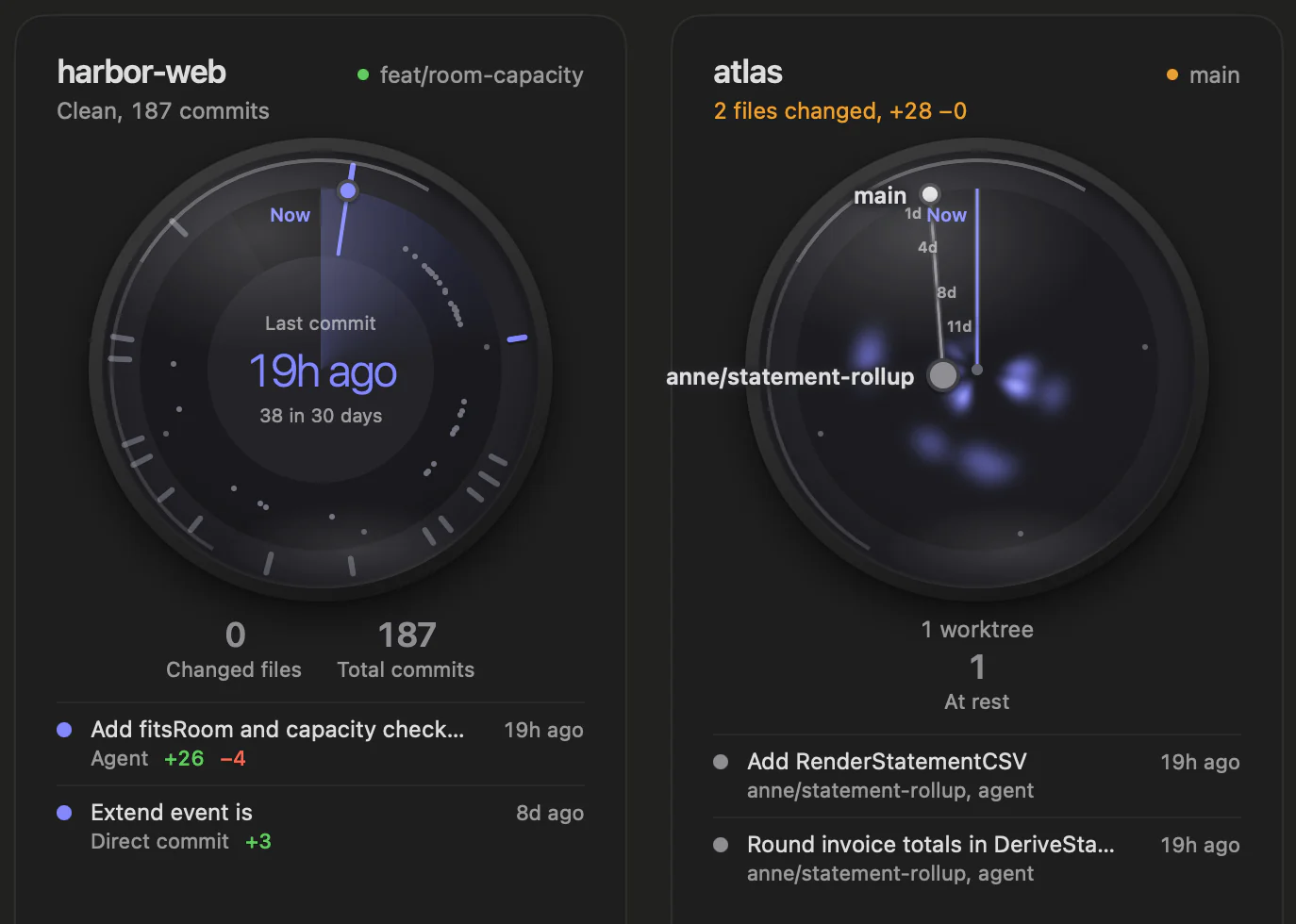
Working with agents makes a lot, and makes it fast: commits pile up, branches and worktrees multiply, and several things move at once. The Dashboard, the first screen, is shaped to show that pace at a glance, before you read a single number.
Each repository is a card with a dial. Time runs clockwise from now at the top, bars around the rim count commits, and worktrees sit on the ring or inside it by how far they've gone. When it last moved, what changed and where its worktrees stand all show in the dial's shape.
The Workspace is where that one-agent-at-a-time idea lives: a tab for each worktree, one agent terminal in each, and a tile per tab that watches the agents you aren't looking at.
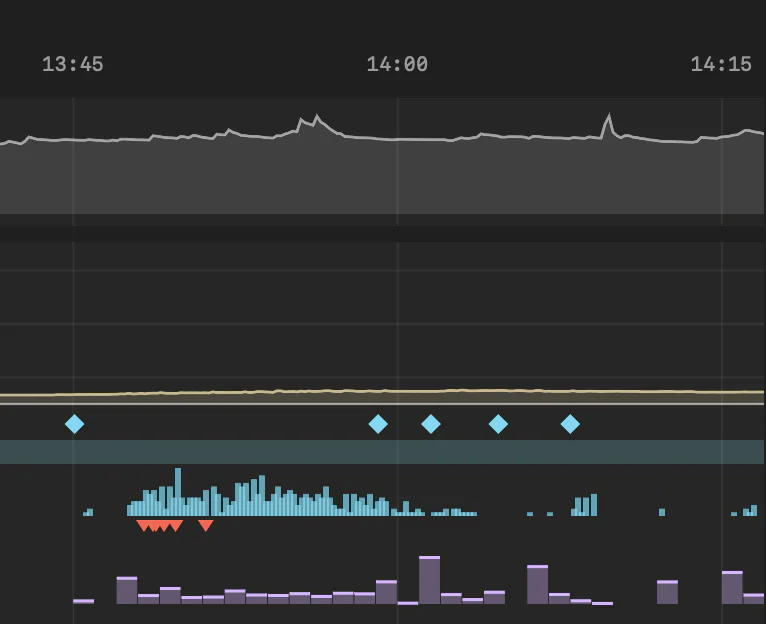
Hindsight puts memory, tokens, tool calls, errors and HEAD moves for every agent session on one timeline. When something went wrong, you can look back at what was running at that moment.
Memory is always part of that record, for the whole system and for each agent's terminal. Agents sometimes run away, using far more memory than the work needs until the whole Mac slows down. Without a record you only see the aftermath. With it, you can see when it started, which session it was and what the agent was doing at the time, and change the way you work so it doesn't happen again. When a tile shows a memory warning, it takes you straight to that moment in Hindsight.
When the work comes back
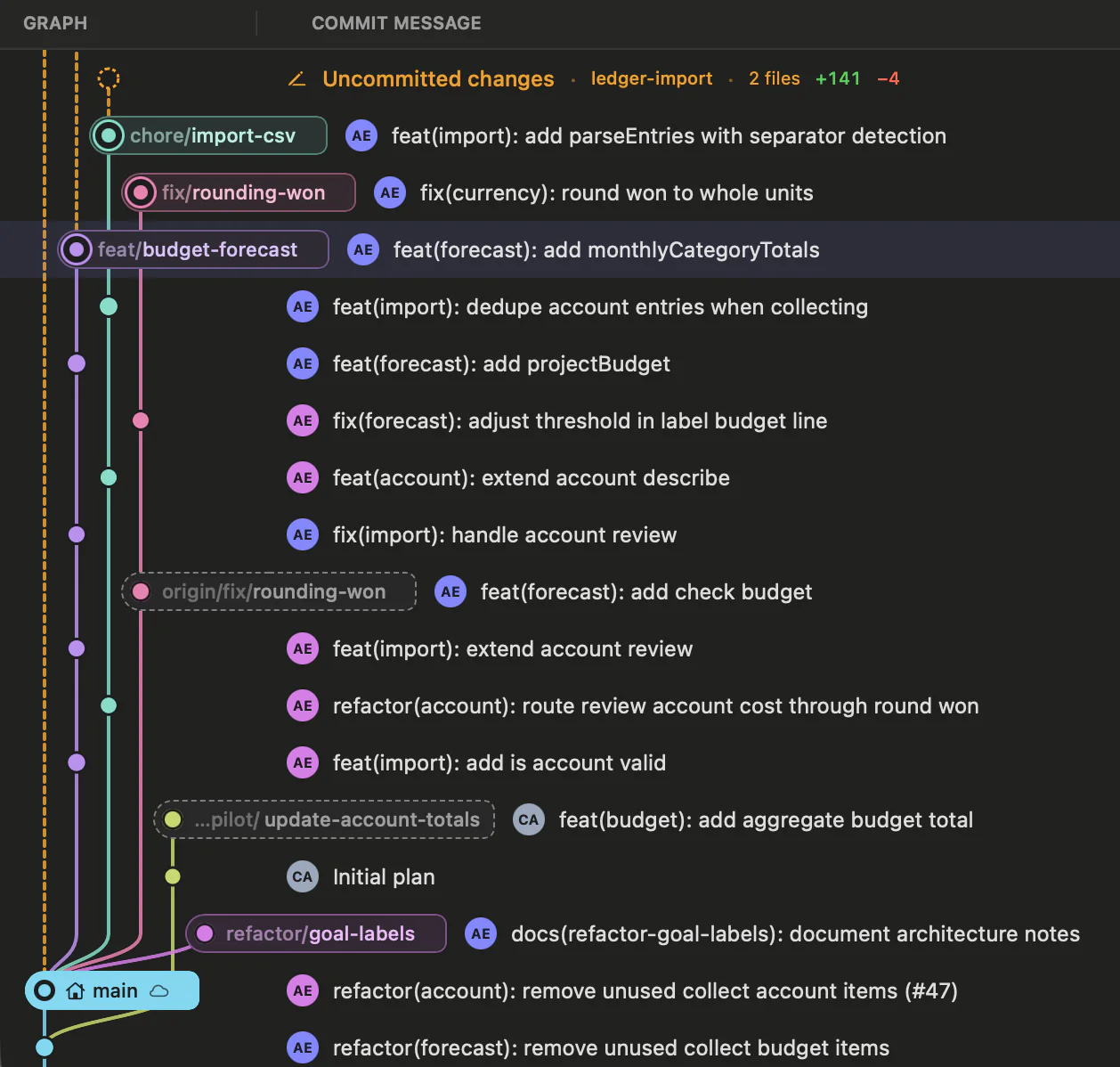
With agents, several pieces of work move at the same time, each in its own worktree on its own branch. A traditional git graph is built around a single working copy. It can draw many branches, but it doesn't show where each worktree is or which ones have work in progress, so you end up checking them one by one. Whaatcher redraws the graph for this: all branches and worktrees share one graph, each worktree's HEAD sits as a chip on its commit, and each worktree with uncommitted changes adds a row at the top. You can see where every line of work stands at once.
In Graph, each commit also carries who made it, the tokens it took and how much it changed. Click a commit and its panel shows Impact: what the change touched and how far, set against this repository's usual.
Worklog shows what the agent did for a commit, turn by turn and file by file, rebuilt from the agent's conversation. You see what each instruction changed, which places were edited again and again, and how the time split between the agent working and the time between turns.
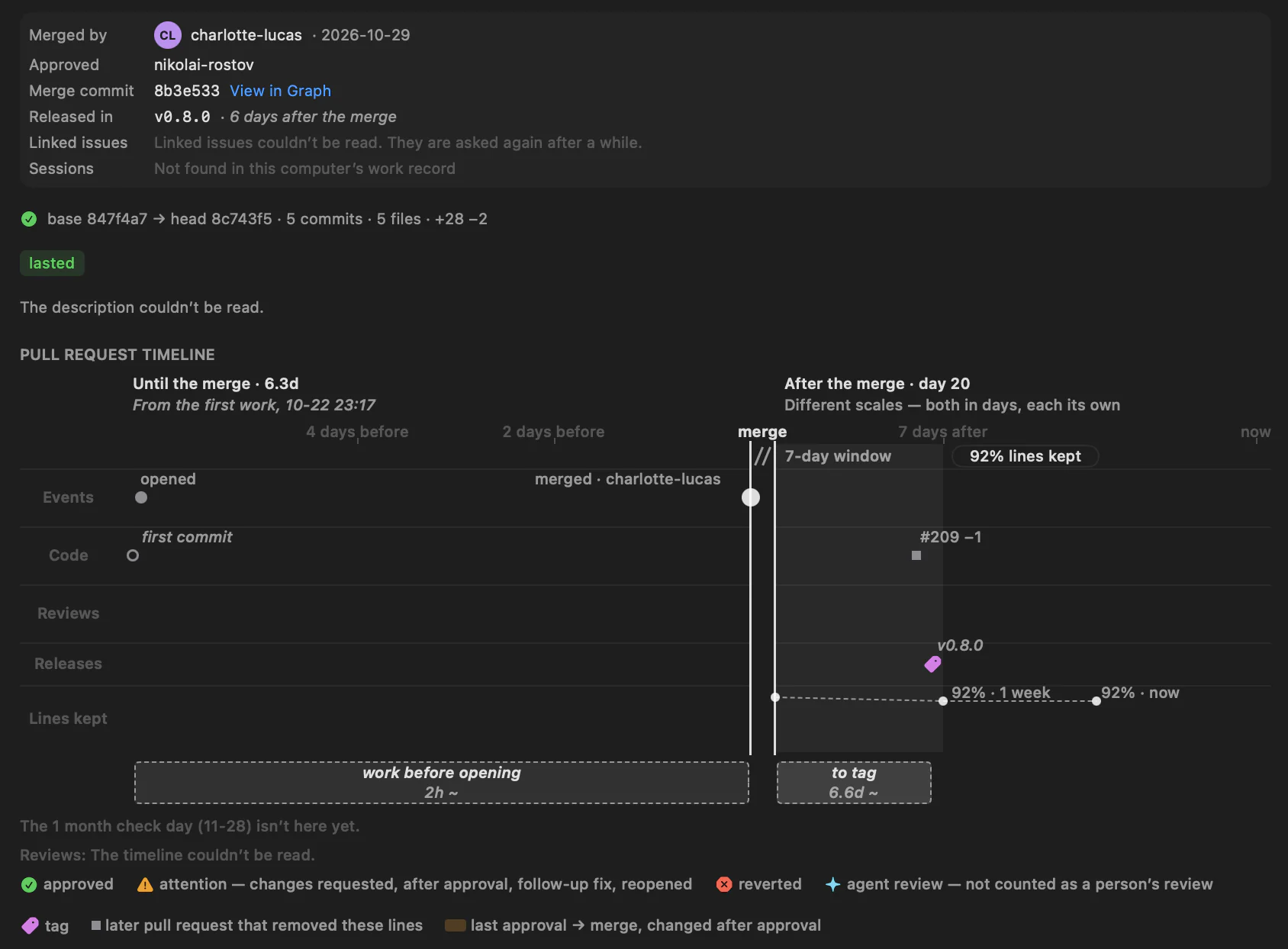
Pull Requests lists open, merged and closed pull requests, and shows what each merge left behind: lines that stayed, follow-up fixes, reverts and reopened issues. To Agent turns what you see into text for an agent. Whaatcher only pastes it into the agent's terminal; you press Enter.
Where the code stands
Overview shows where a repository's code stands: hotspots, growing functions, complexity by folder and similar function groups. It shows facts from the history and leaves the meaning to you.
Files lets you read code by function. Next to each file are its outline with each function's complexity, its history and the functions that look like the one you're reading.
FilesCognitive complexitySimilar functions
Insight looks across all your repositories: where work was redone across commits, and how agent time and tokens added up over a day, a week or a month.
What you decide
Whaatcher stops at the evidence. An agent's work runs without you, but it reaches four points where only you can make the call:
- Before the work: set the direction, for example before a plan adds to a function that keeps growing.
- While it works: step in, or let it run, for example when the agent keeps returning to the same few lines.
- When the work comes back: review where it mattered first, not every line in order.
- Before the next session: fix the rule, not the line. When agents keep copying instead of reusing, change what you tell them. Pull Requests drafts lines for your agent's instructions file from what keeps coming up in your reviews.
The last one matters most. It makes every later session better, and no agent will make it for you.
Who it's for
Whaatcher is for developers on a Mac who work with coding agents, whether that's one agent on one repository or several agents across worktrees. Claude Code gets every feature. Other agents, such as Codex CLI and Gemini CLI, are recognized while they run.
It needs macOS 26 or later and git.
Let the agents write. Keep the calls.